House Profile
Your home’s physical and financial details; one per database.
First-time setup#
On first launch (with no existing database), micasa presents the house profile
form automatically. The Nickname field is required; everything else is
optional. Fill in what you know now and come back later for the rest.
Header strip#
A one-line collapsed summary is always pinned above the tab bar:
Elm Street Springfield, IL · 4 bd / 2.5 ba · 2.4k ft² · 1987 · ○ 3
The pill on the left is your house nickname. Vitals follow: city/state,
bed/bath, square footage (k-abbreviated, m² when units are metric), and year
built. The trailing ○ N warning appears when N fields are still empty.
Overlay#
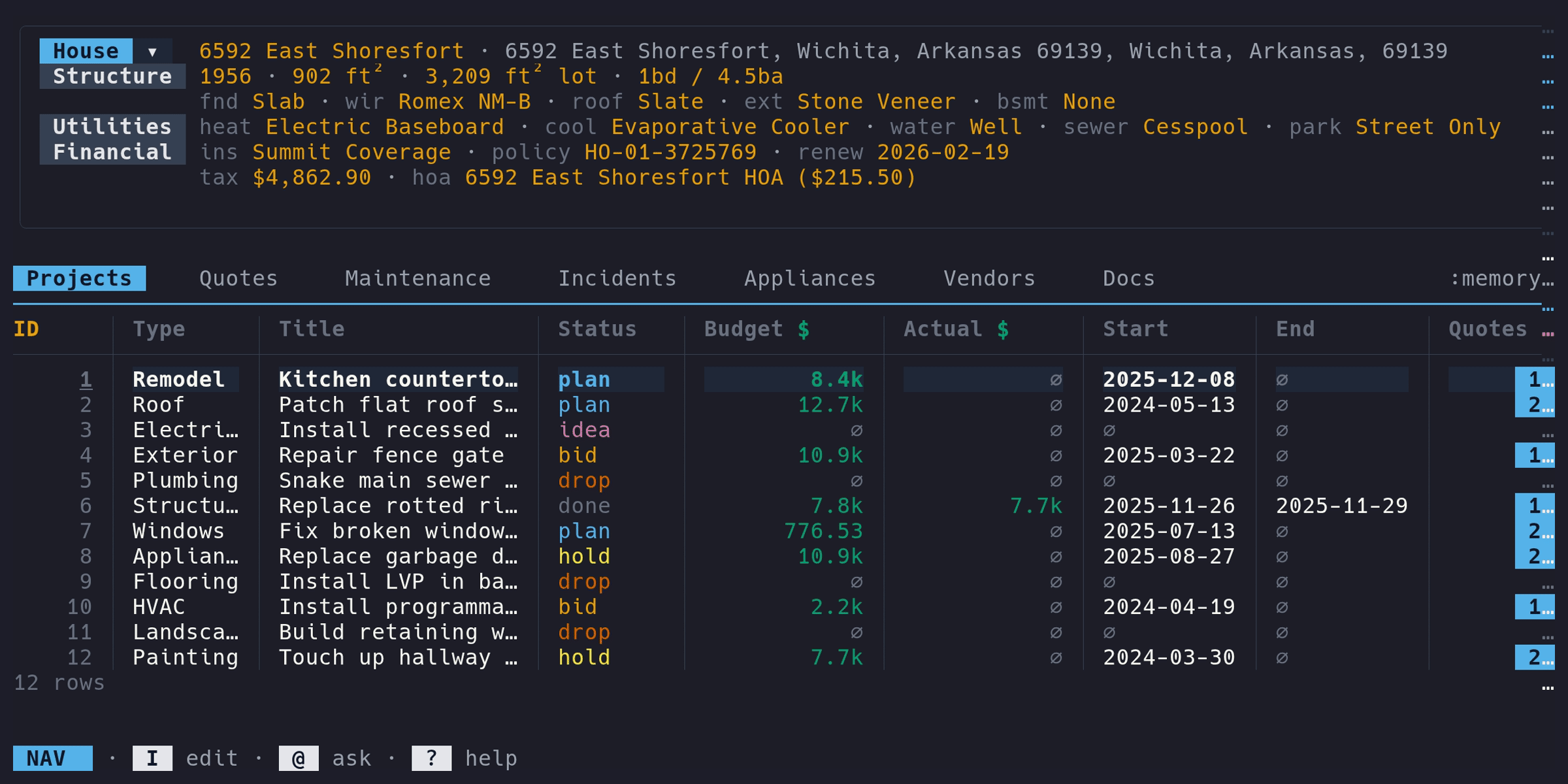
Press tab to open the house profile overlay. An identity header line shows the nickname, address (click to open Google Maps), and a filled/total completion fraction. Structure, Utilities, and Financial render side-by-side on wide terminals and stack vertically on narrow ones.
Navigation:
- ↑/↓ move within a column
- ←/→ jump to the previous/next column
- enter on a field opens an inline editor; enter again saves, esc cancels
- enter on a toggle field (e.g.
Bsmnt) flips the value without opening the editor - tab or esc closes the overlay
Empty values render as a red ∅ glyph so unfilled fields stand out.
Full form edit#
For a guided form-style pass through every field, enter Edit mode (i) and press p. Fields are grouped by section (Identity, Structure, Utilities, Financial). Save with ctrl+s, cancel with esc.
Fields#
| Section | Label | Type | Notes |
|---|---|---|---|
| Identity | Name | text | Required. Display name for your house |
| Identity | Addr 1 / Addr 2 | text | Street lines |
| Identity | City / State / ZIP | text | Postal code autofills city/state when known |
| Structure | Year | number | Year built |
| Structure | Ft² / Lot | number | Interior and lot area (m² under metric units) |
| Structure | Bed / Bath | number | Baths can be decimal (e.g. 2.5) |
| Structure | Fndtn, Wire, Roof, Ext | text | Free text |
| Structure | Bsmnt | toggle | Yes/No – flips on enter |
| Utilities | Heat, Cool, Water, Sewer, Parking | text | Free text |
| Financial | Ins carrier | text | Company name |
| Financial | Ins policy | text | Policy number |
| Financial | Ins renewal | date | Shows on dashboard when due |
| Financial | Prop tax | money | Annual amount. Formatted in your configured currency |
| Financial | HOA / HOA fee | text / money | Name and monthly fee in your configured currency |