House Profile
Your home’s physical and financial details – one per database.
First-time setup#
On first launch (with no existing database), micasa presents the house profile
form automatically. The Nickname field is required; everything else is
optional. Fill in what you know now and come back later for the rest.
Viewing the profile#
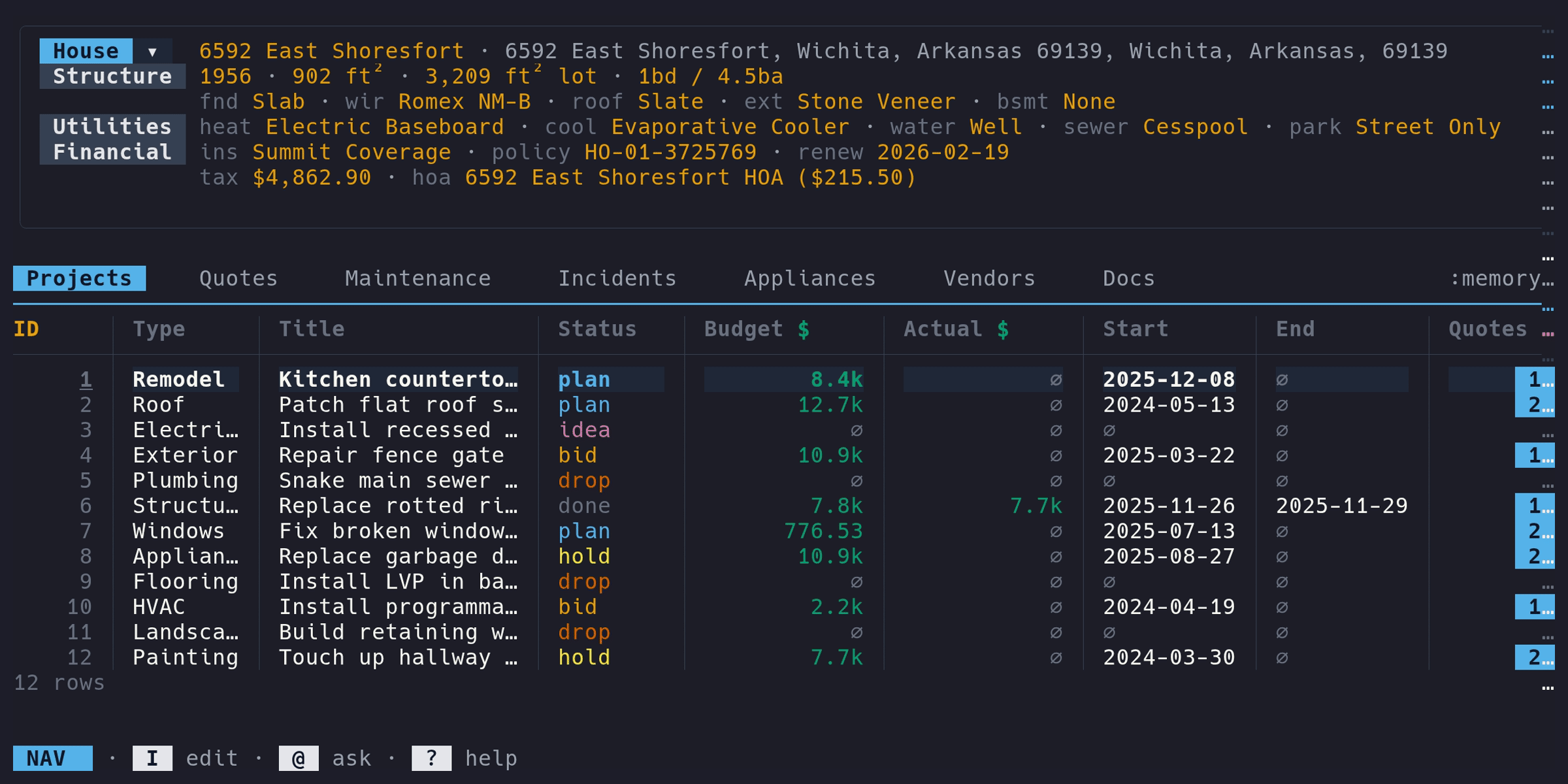
Press tab to toggle the house profile display above the table. The collapsed view shows a single line with key stats:
Elm Street · Springfield, IL · 4bd / 2.5ba · 2,400 sqft · 1987
The expanded view shows three sections:
- Structure: year built, square footage, bedrooms/bathrooms, foundation, wiring, roof, exterior, basement
- Utilities: heating, cooling, water, sewer, parking
- Financial: insurance carrier/policy/renewal, property tax, HOA
Editing the profile#
Enter Edit mode (i), then press p to open the house profile form. The form is organized into the same sections (Basics, Structure, Utilities, Financial). Save with ctrl+s, cancel with esc.
Fields#
| Section | Field | Type | Notes |
|---|---|---|---|
| Basics | Nickname | text | Required. Display name for your house |
| Basics | Address | text | Street, city, state, postal code |
| Structure | Year built | number | Whole number |
| Structure | Square feet / Lot | number | Interior and lot size |
| Structure | Bedrooms / Baths | number | Baths can be decimal (e.g., 2.5) |
| Structure | Foundation, Wiring, Roof, Exterior, Basement | text | Free text |
| Utilities | Heating, Cooling, Water, Sewer, Parking | text | Free text |
| Financial | Insurance carrier | text | Company name |
| Financial | Insurance policy | text | Policy number |
| Financial | Insurance renewal | date | Shows on dashboard when due |
| Financial | Property tax | money | Annual amount (e.g., 4200.00). Formatted in your configured currency |
| Financial | HOA name / fee | text / money | Name and monthly fee. Formatted in your configured currency |