Appliances
Track the physical equipment in your home.
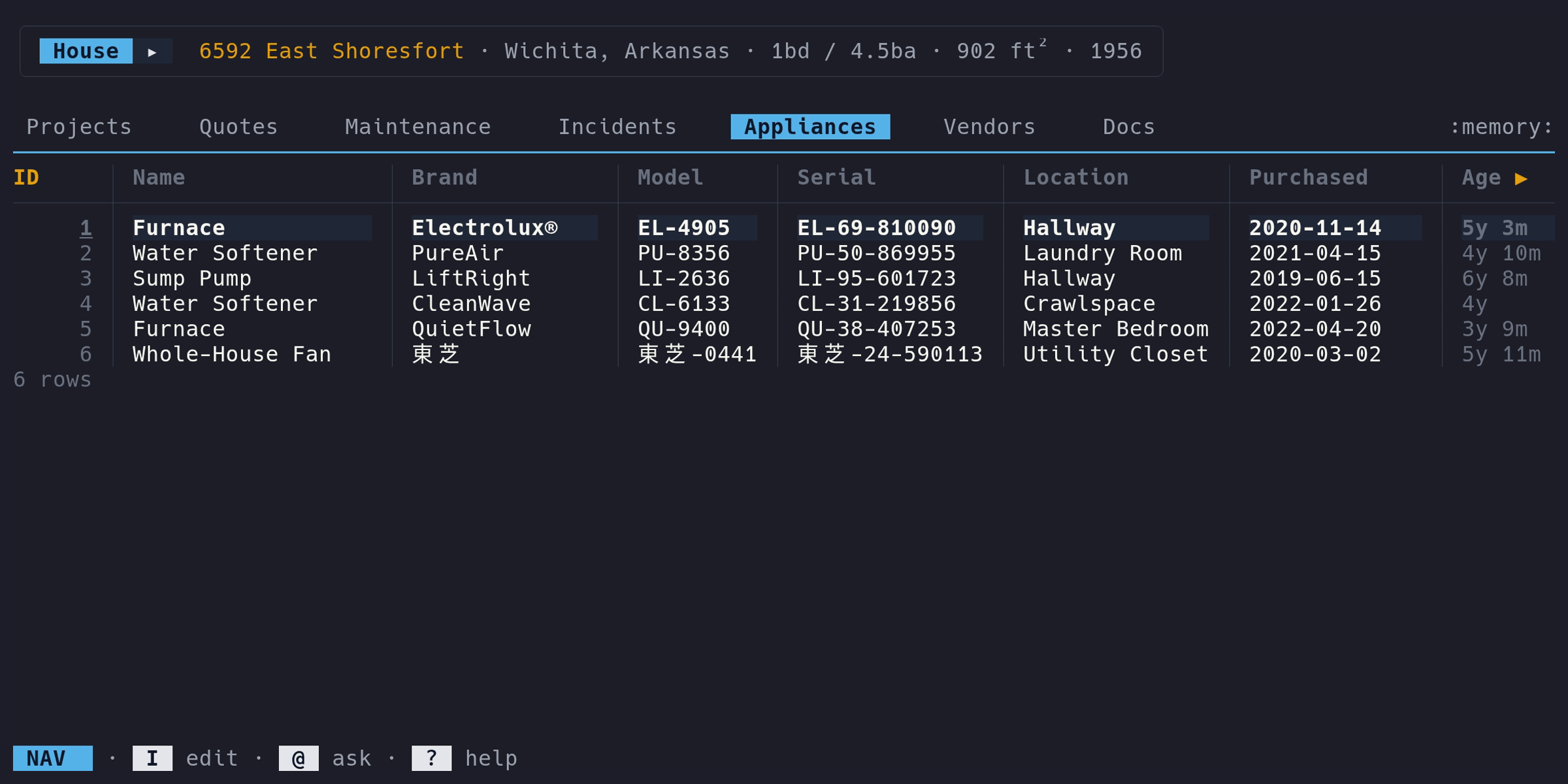
Adding an appliance#
- Switch to the Appliances tab
- Enter Edit mode (i), press a
- Fill in the identity and details forms
Only the Name is required.
Fields#
| Column | Type | Description | Notes |
|---|---|---|---|
ID | auto | Auto-assigned | Read-only |
Name | text | Appliance name | Required. E.g., “Kitchen Refrigerator” |
Brand | text | Manufacturer | E.g., “LG” |
Model | text | Model number | For warranty lookups and replacements |
Serial | text | Serial number | |
Location | text | Where in the house | E.g., “Kitchen”, “Basement” |
Purchased | date | Purchase date | Date input |
Age | computed | Time since purchase | Read-only. E.g., “3y 2m”, “8m”, “<1m” |
Warranty | warranty | Warranty expiry | Green when active, red when expired. Shows on dashboard when expiring |
Cost | money | Purchase price | Formatted in your configured currency |
Maint | drill | Maintenance count | Press enter to view linked maintenance |
Docs | drill | Document count | Press enter to view linked documents |
Warranty tracking#
Enter the warranty expiry date when you add an appliance. The Dashboard shows appliances with warranties expiring within 90 days (or recently expired within 30 days) in the “Expiring Soon” section.
Maintenance drill#
The Maint column shows how many maintenance items are linked to this
appliance. In Nav mode, navigate to the Maint column and press enter to
open a detail view showing those maintenance items (without the Appliance
column, since it’s redundant).
From the detail view you can add, edit, or delete maintenance items. Press esc to return to the Appliances table.
Incidents#
Incidents can optionally link to an
appliance via the Appliance column. This lets you track which equipment is
involved in a household issue. Appliances with active incidents cannot be
deleted – resolve or unlink the incidents first.
Notes#
The edit form includes a Notes textarea for free-text annotations. Notes are
stored on the appliance record but don’t appear as a table column.
Inline editing#
All columns except ID, Age, and Maint support inline editing. Press e
in Edit mode on a cell to edit just that field. Press E from any column to
open the full edit form.