Your house is quietly plotting to break while you sleep – and you’re dreaming about redoing the kitchen. micasa tracks both from your terminal.
micasa is a keyboard-driven terminal UI for managing everything about your home: maintenance schedules, projects, incidents, vendor quotes, appliances, warranties, service history, and file attachments. It stores all data in a single SQLite file on your machine. No cloud. No account. No subscriptions.
What it does#
- Maintenance tracking with auto-computed due dates, service log history, and vendor records
- Project management from ideating through completion (or graceful abandonment), with budget tracking
- Quote comparison across vendors, with cost breakdowns
- Incident logging with severity, location, and optional links to appliances and vendors
- Appliance inventory with warranty windows, purchase dates, and maintenance history tied to each one
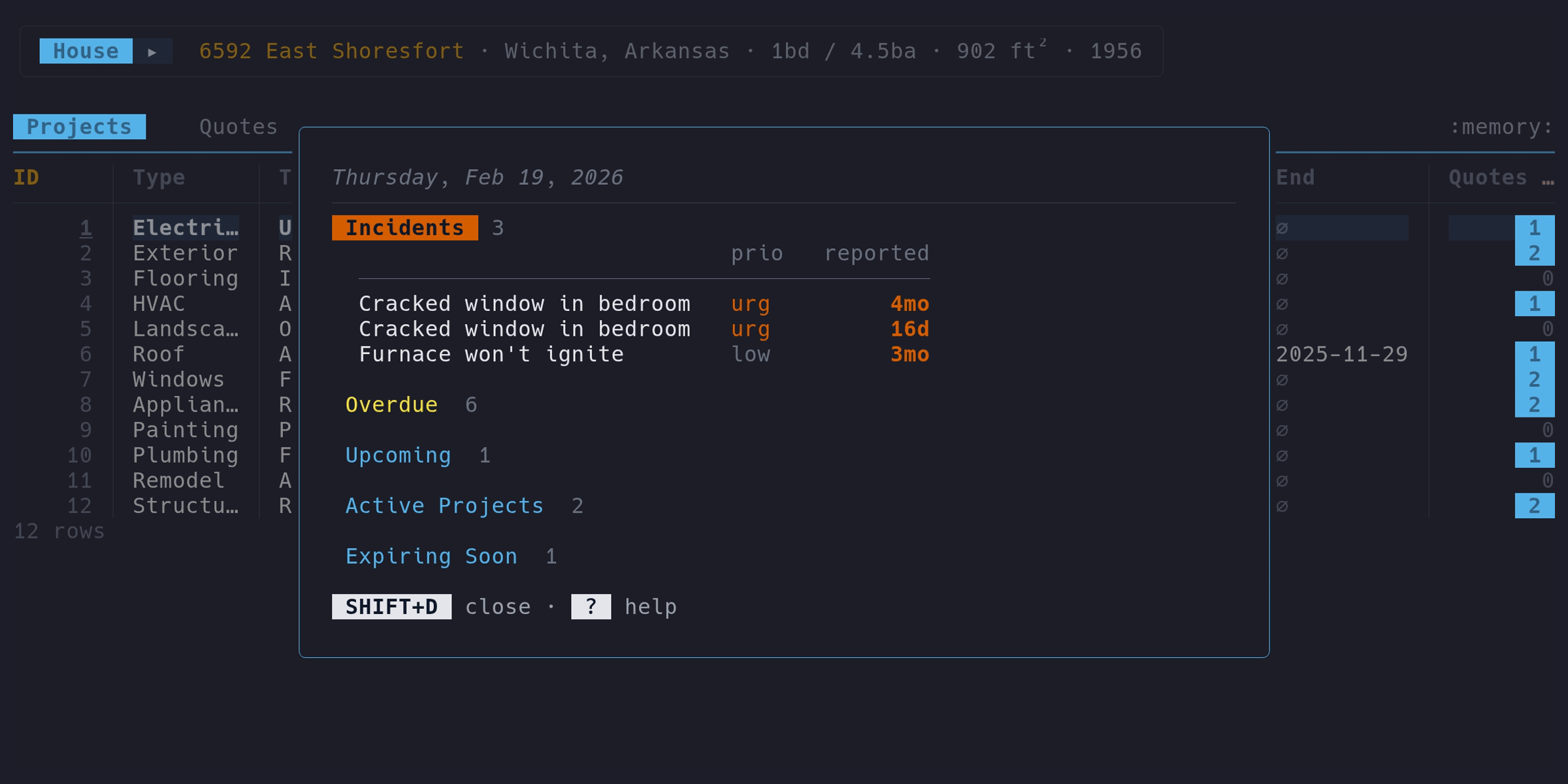
- Dashboard showing open incidents, overdue maintenance, active projects, and expiring warranties at a glance
- Vim-style modal navigation with Nav and Edit modes, multi-column sorting, column hiding, and cross-tab FK links
- Document attachments – attach files (manuals, invoices, photos) to any record, stored as BLOBs in the same SQLite file. When an LLM is configured, an extraction pipeline (OCR, text extraction, LLM) pre-fills form fields with structured data
- LLM chat – ask questions about your home data, powered by a local LLM (Ollama or any OpenAI-compatible API)
What it doesn’t do#
micasa is not a smart home controller, a home automation platform, or a property management SaaS. It’s a personal tool for one house (yours), designed to answer questions like “when did I last change the furnace filter?” and “is the dishwasher still under warranty?”
Quick start#
go install github.com/micasa-dev/micasa/cmd/micasa@latest
micasa demo   # poke around with sample data
micasa          # start fresh with your own house
Read the full Installation guide for other options (binaries, Nix, container).
Getting Started
- Installation — How to install micasa on your system.
- First Run — What to expect the first time you launch micasa.
- Self-Hosting — Run your own sync relay with Docker Compose.
Using micasa
- Navigation — Modal keybindings and how to move around.
- Sorting & Columns — Multi-column sorting, column hiding, and horizontal scrolling.
- Row Filtering — Pin cell values to filter rows interactively.
- Date Input — Relative dates, natural language, and the calendar picker.
User Guide
- House Profile — Your home's physical and financial details.
- Dashboard — At-a-glance overview of what needs attention.
- Projects — Track home improvement projects from idea to completion.
- Quotes — Compare vendor quotes for your projects.
- Maintenance — Recurring upkeep tasks with schedules and service logs.
- Incidents — Log household issues, track severity, and link to appliances or vendors.
- Appliances — Track physical equipment, warranties, and linked maintenance.
- Vendors — Browse and manage your vendors.
- Documents — Attach files to projects, appliances, and other records.
- LLM Chat — Ask questions about your home data using a local LLM.
Reference
- Keybindings — Complete reference of every keybinding.
- Configuration — CLI flags, environment variables, config file, and LLM setup.
- Data Storage — SQLite database file, schema, backup, and portability.
Development
- Building — How to build micasa from source.
- Architecture — How micasa is built: Bubble Tea, TabHandler, overlays.
- Data Model — Entities, relationships, and the design rationale behind them.
- Encrypted Relay — How the sync relay works: store interface, auth, encryption, key exchange, row-level security.
- Testing — How to run and write tests.
- Contributing — How to contribute to micasa.